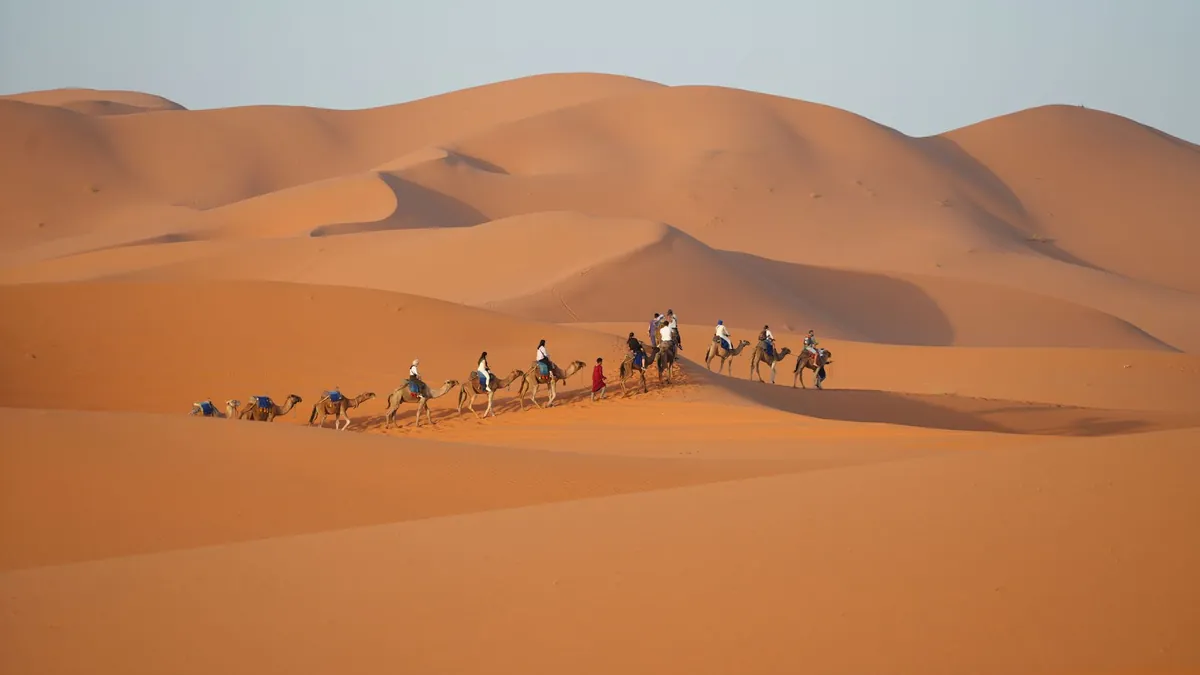
Imagine standing on a golden dune in the Sahara, watching the sunset paint the sky in shades of orange and pink. You snap a perfect photo and want to share it with friends back home. But will it send? With the right connectivity, it will. This guide shows you how to send photos and videos from the Moroccan desert, ensuring you stay connected even in the most remote areas.
Morocco's desert is breathtaking, but it can be challenging for connectivity. However, with a reliable eSIM like eSIM Maroc, you get unlimited 4G/5G data, so you can share every moment without worrying about data limits. Here's everything you need to know.
Why Connectivity Matters in the Desert
The Moroccan desert, including the Sahara and Erg Chebbi, is vast and sparsely populated. While major cities like Marrakech and Casablanca have excellent coverage, remote areas may have weaker signals. To send photos and videos, you need a network that reaches these areas. eSIM Maroc uses the best local networks—local partner networks, and local partner networks—ensuring you get the strongest possible signal, even in the desert.
Choosing the Right eSIM for Morocco
When traveling to Morocco, you need a data solution that is reliable and easy to use. eSIM Maroc offers Morocco eSIM plans with unlimited data, so you never have to worry about running out. Unlike traditional SIM cards, an eSIM is digital and can be activated instantly. You receive a QR code by email as soon as you purchase, and you can install it in minutes.
Benefits of eSIM Maroc
- No total cap: send photos and short videos all trip; the first 1 GB each day goes at full speed.
- Easy setup: No physical SIM needed, just scan the QR code.
- No contracts: Choose a plan that fits your trip duration.
- Instant delivery: Get your QR code by email immediately after payment.
- Local networks: Access to local partner networks for good coverage.
How to Send Photos and Videos from the Desert
Once you have your eSIM set up, sending photos and videos is straightforward. Here are the steps:
- Install your eSIM: After purchasing, you'll receive a QR code. Go to your phone's settings, add a mobile plan, and scan the QR code. Make sure your phone is compatible with eSIM.
- Enable data roaming: In your phone's settings, turn on data roaming for your eSIM. This allows you to connect to local networks.
- Connect to the network: Your phone will automatically connect to the best available partner network. In remote areas, you might need to manually select a network if you have no signal.
- Send your media: Use your favorite messaging apps (WhatsApp, iMessage, etc.) or social media to share your photos and videos. Upload high-resolution files within the 1 GB a day at full speed, or wait for Wi-Fi for large ones.
Tips for Better Connectivity in the Desert
Even with a great eSIM, the desert can be unpredictable. Here are some tips to improve your chances of sending media:
- Find higher ground: Climb a dune or hill to get a better line of sight to cell towers.
- Use offline maps: Download maps before you go, so you don't need data for navigation.
- Compress files: If you're in a hurry, send compressed versions of photos or videos to speed up uploads.
- Try different times: Early morning or late evening often have less network congestion.
- Carry a power bank: Searching for signal can drain your battery.
What to Do If You Lose Your QR Code
If you accidentally delete your QR code or need it again, don't worry. You can resend your QR code by entering the email address you used at purchase. It will be sent to you instantly, so you can reinstall your eSIM.
Comparing Options: eSIM vs. Physical SIM vs. Roaming
When traveling to Morocco, you have several options for staying connected. Here's a comparison:
OptionProsConseSIM MarocUnlimited data, instant setup, no physical SIM, works in remote areasRequires a compatible phonePhysical SIMWidely available at airportsNeed to find a store, may require ID, limited data bundlesInternational RoamingNo setup neededVery expensive, data limits, slow speedsAs you can see, eSIM Maroc offers the best value and convenience for travelers, especially those heading to the desert.
Stay Connected with eSIM Maroc
Don't let connectivity issues ruin your desert adventure. With eSIM Maroc, you can share every magical moment with friends and family. Our unlimited data plans are designed for travelers who want to stay connected without worrying about data limits. Explore our Morocco eSIM plans today and enjoy seamless connectivity across Morocco.